 Provision
A goal planner that expects you to miss a day.
Provision turns something large into what you have to do today. 900 pages by September. $2,400 by spring. A lecture course before the exam. Rest days and catch-up days are in the plan from the start, because you will miss one.
Free to download. iPhone, iOS 26.5 or later.
900 pages by September 30th
The three weeks around today- Typical day
- 24 pages
- Heaviest
- 31 pages
- Days off
- 3
- Catch-up days held
- 2
A day's share Today Day off Catch-up day, left empty until you need it
Six kinds of goal
The maths underneath is the same every time. What changes is the unit you count in, and what the app asks you for.
- Time
- A 40-hour project by the end of term
- Hours and minutes, against a deadline.
- Savings
- $2,400 by spring
- Planned around your real paydays, not calendar days.
- Training
- Forty workouts before the season
- Sessions, reps or distance, with recovery days kept.
- Reading
- 900 pages by September
- Pages, chapters or books, whichever you think in.
- Study
- 600 flashcards before finals
- Counted in items, not hours. Time only reserves the slot.
- Lectures
- A 12-lecture course before the midterm
- Video minutes, off the playhead. Your playback speed estimates the evening.
How it works
-
Tell it the whole thing
A total, a start, and a finish date. Forty workouts before the season. Twelve lectures before the midterm.
-
It gives you today's share
The work is split across the days you actually have. Rest days are spread through, not bunched at the end, and a few days are held back empty in case you need them. On Pro, it reads your calendar and puts each day's work in a gap you actually have.
-
Fall short, and it tells you the cost
No guilt notification. A set of choices, each with its consequence spelled out before you pick it.
-
Do it with someone, if you want
Split a goal with friends or classmates. Everyone gets their own daily amount, and the group shares one finish line.
A plan that only works if you never miss a day isn't a plan — it's a wish with dates on it.
So you missed Tuesday
Provision doesn't quietly redistribute the work and hope you don't notice. It shows you what Tuesday cost and hands you the six ways out — the same six, every time, each one honest about what it moves.
-
Use one of my catch-up days
Spends one of the days the plan deliberately held back for this. Nothing else in the plan moves.
-
Spread it across the days left
Every remaining day gets a little heavier. The finish date holds.
-
Pile it onto my next working day
Tomorrow carries both days. Everything after it is left alone.
-
Borrow a rest day instead
Turns one of your days off into a working day, and leaves the rest of the schedule as it was.
-
Push the finish date out
The daily amount stays what you agreed to. The deadline is what gives.
-
Leave the plan alone
Recorded as behind. The plan won't pretend otherwise, and neither will the app.
Go the other way — do more than the day asked for — and you get the same treatment: bank it, finish earlier, or lighten the days ahead.
On Pro
Plans that fit the gaps you actually have
Most planners hand you a number and leave you to find the time. Link your calendar and Provision reads when you're already busy, then shapes the plan around it: heavier on open days, lighter when your week is full. It can put each session straight into your calendar, too.
One week of 600 flashcards before finals
Example week, 8am to 10pmMon
12
Tue
30
Wed
18
Thu
36
Fri
32
Sat
40
Sun
Rest
- This week
- 168 flashcards
- Split evenly
- 28 a day
- Around your calendar
- 12 to 40 a day
Busy. Provision sees that the time is taken, nothing else A session it placed
- Works with the calendars you already have
- Google, Outlook, iCloud and Exchange. Anything already added to your iPhone in Settings → Apps → Calendar → Calendar Accounts. No separate sign-in.
- Reads when you're busy, and only that
- Not what the events are, who's in them, or where they are. Just that the time is taken. You pick which calendars count, so a shared or subscribed one doesn't block your evenings.
- Sessions go in a calendar of their own
- A separate Provision calendar, marked free so it doesn't make you look busy to anyone else. Hide it or delete it whenever you like.
- Room either side
- Sessions keep 10 minutes clear either side of anything already booked. You can change that.
- Your week changes, the plan follows
- Something new lands on Thursday and the session moves out of its way. If a goal stops fitting around what's booked, Provision tells you, and shows what would make room.
Calendar linking is on Pro, $4.99 a month. Everything else on this page, including every catch-up option, works without it.
Inside the app
Four screens, as they actually look.
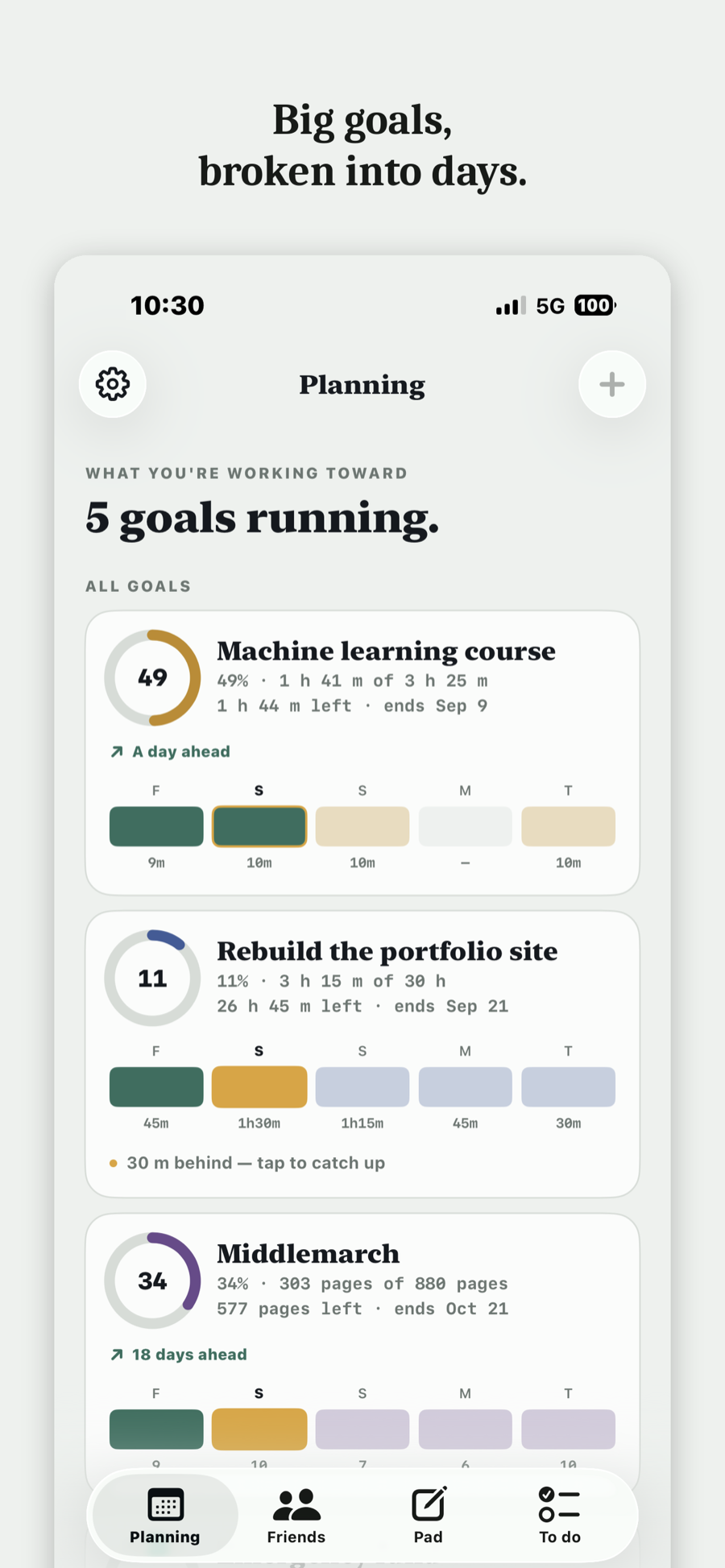
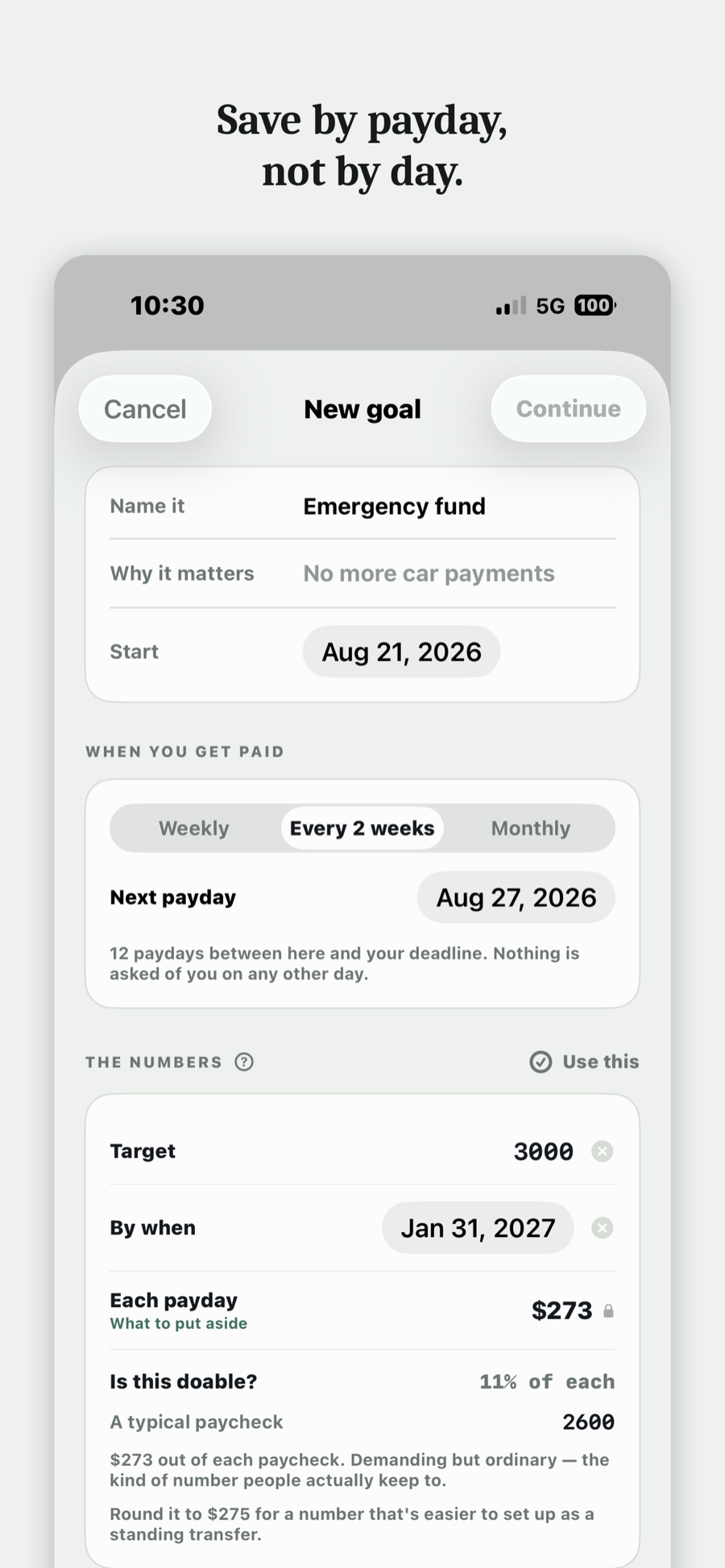
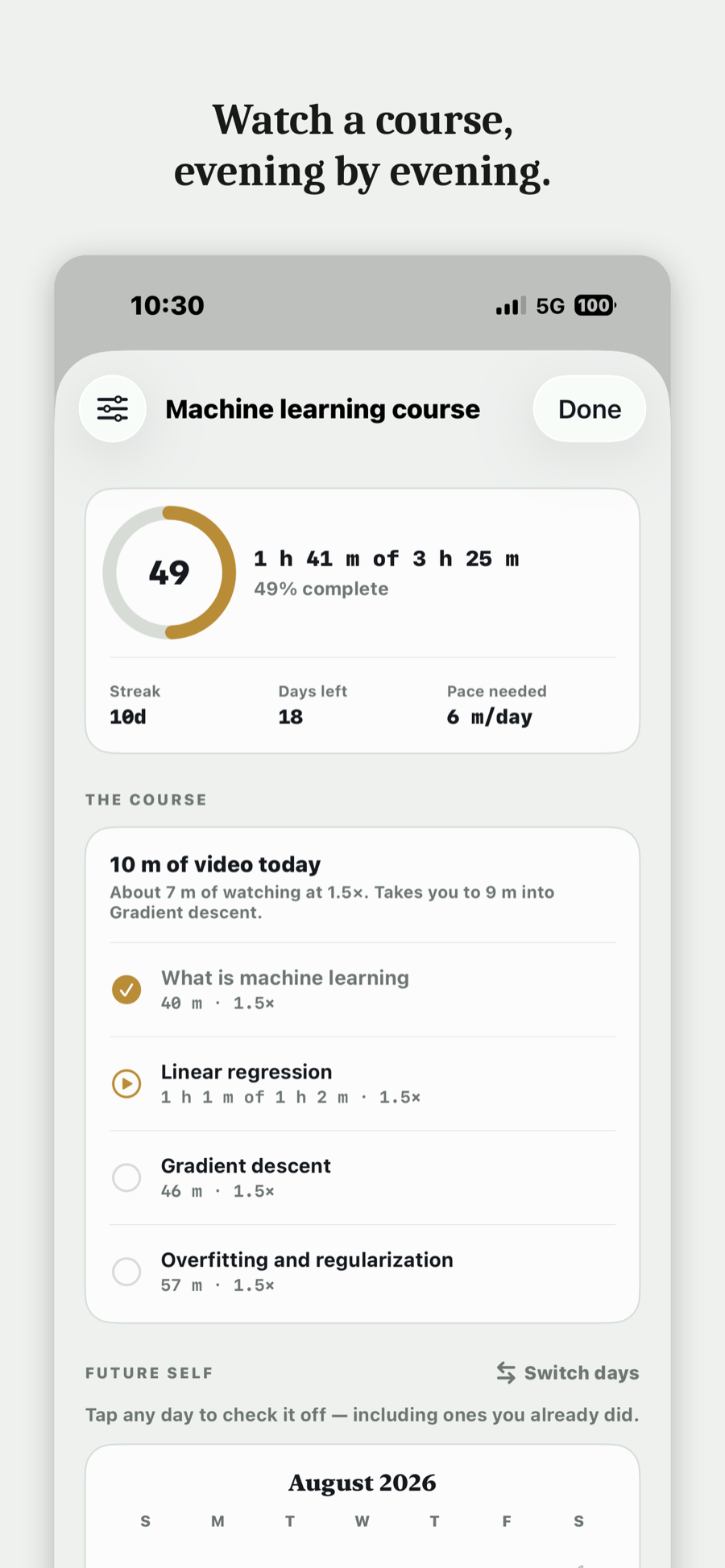
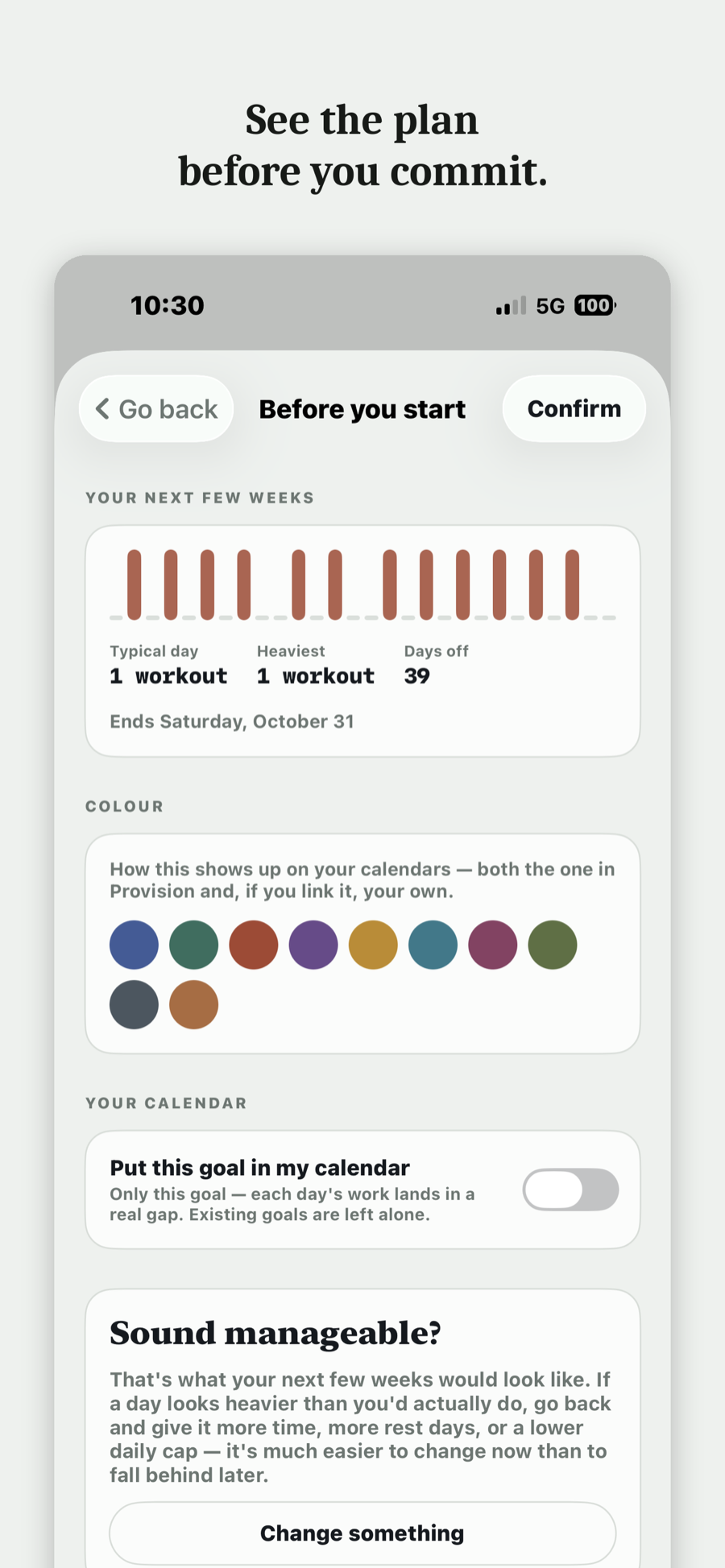
Shared goals
Two ways to bring someone in
Sharing is per goal, and you choose what the other person is actually signing up for.
Just to watch
They see your plan and how you're doing, and can send a nudge or a reaction. They carry none of the work. Any goal can be followed this way.
To carry a share
The total is divided between you. Everyone gets their own daily amount worked out for their own week, and the group moves towards one finish line. This is set when the goal is created.
Joining someone else's goal is free — the free tier can hold five at once. Starting one of your own needs Lite (up to two people) or Pro (up to ten). Nudges and reactions are on every tier.
Where your goals live
On your phone, and in your own iCloud
No account, no sign-up, no password. Provision has no server, so there is nowhere for your goals to go except your phone and, if you switch sync on, your own iCloud. Share a goal and it reaches the people you shared it with through iCloud too. The privacy policy has the detail.
No bank connections
Savings goals are numbers you type. The app has no way to read your balance and no way to move money.
Provision is built by one person, mostly for students: reading lists, problem sets, lecture courses, the savings goal for next term. Email support@provisiongoals.com and that person reads it.
What it costs
Everything that makes a plan honest — daily shares, rest days, catch-up days, make-up options — is on every tier, including the free one.
Free
Free
One goal of your own, and a seat at anyone else's.
- Track one goal of your own
- Join up to five shared goals friends invite you to
- Share for accountability, with nudges and reactions
- Notes, quick checklists, and an archive of what you've finished
Lite
$1.99
per month
Two goals, and the ability to start one together.
- Track two goals at once
- Start shared goals with up to two friends or classmates
- Join as many shared goals as you're invited to
- See who's missed days on a shared goal
Pro
$4.99
per month
Everything, plus your real calendar in the loop.
- Track as many goals as you like
- Start shared goals with up to ten friends or classmates
- Nudges, reactions, and personalized messages to friends
- Google, Outlook or iCloud calendar connected, so plans land in the gaps you actually have. How that works
Subscriptions are handled by Apple, and cancel from your iPhone's Settings at any time. Prices shown in US dollars. Managing your subscription.
Questions
Do I need an account?
No. There's no sign-up and no password. Your goals live on your phone, and on your own iCloud if you switch sync on.
Does it work without a connection?
Yes. The plan is worked out on the device, so logging a day, replanning after a miss and checking today's share all work in airplane mode. Only syncing between devices and shared goals need a connection.
What happens if I miss several days in a row?
The same six choices, applied to the bigger gap. If what's left is no longer realistic, the app says so rather than quietly producing a daily number you'd never hit.
Can it use my calendar?
On Pro. It reads the calendars already on your iPhone — Google, Outlook, iCloud and Exchange, whatever is added in iOS Settings — and places sessions in the hours you're actually free. It sees only when you're busy, not what the events are. More on the calendar.
Is there an Android or web version?
No. Provision is an iPhone app, and needs iOS 26.5 or later.
Is the free tier a trial?
No. It's one goal, for as long as you want it. Paying adds more goals at once, the ability to start shared goals, and the calendar connection.
What happens to my goals if I stop paying?
Nothing is deleted. Your data is on your phone either way — you go back to running one goal at a time.
Something's broken. Who do I tell?
Email support@provisiongoals.com and a person will reply, usually within a day or two. More on the support page.
You will miss a day.
That's the assumption the whole thing is built on. Start with one goal and see whether the plan survives contact with your week.
Free. iPhone, iOS 26.5 or later.